What is a preview?
A preview deployment is a temporary, publicly accessible version of your website built from a branch other than the production branch.
This allows you to inspect and test changes before they are merged into main.
In this guide, the feature branch is developed locally, pushed to GitHub, and then used to create a separate preview deployment. The preview lets you check the feature without changing the live production website.
| Environment | Branch | Purpose |
|---|---|---|
| Production | main | Live website. |
| Preview | feature/* | Test changes before release. |
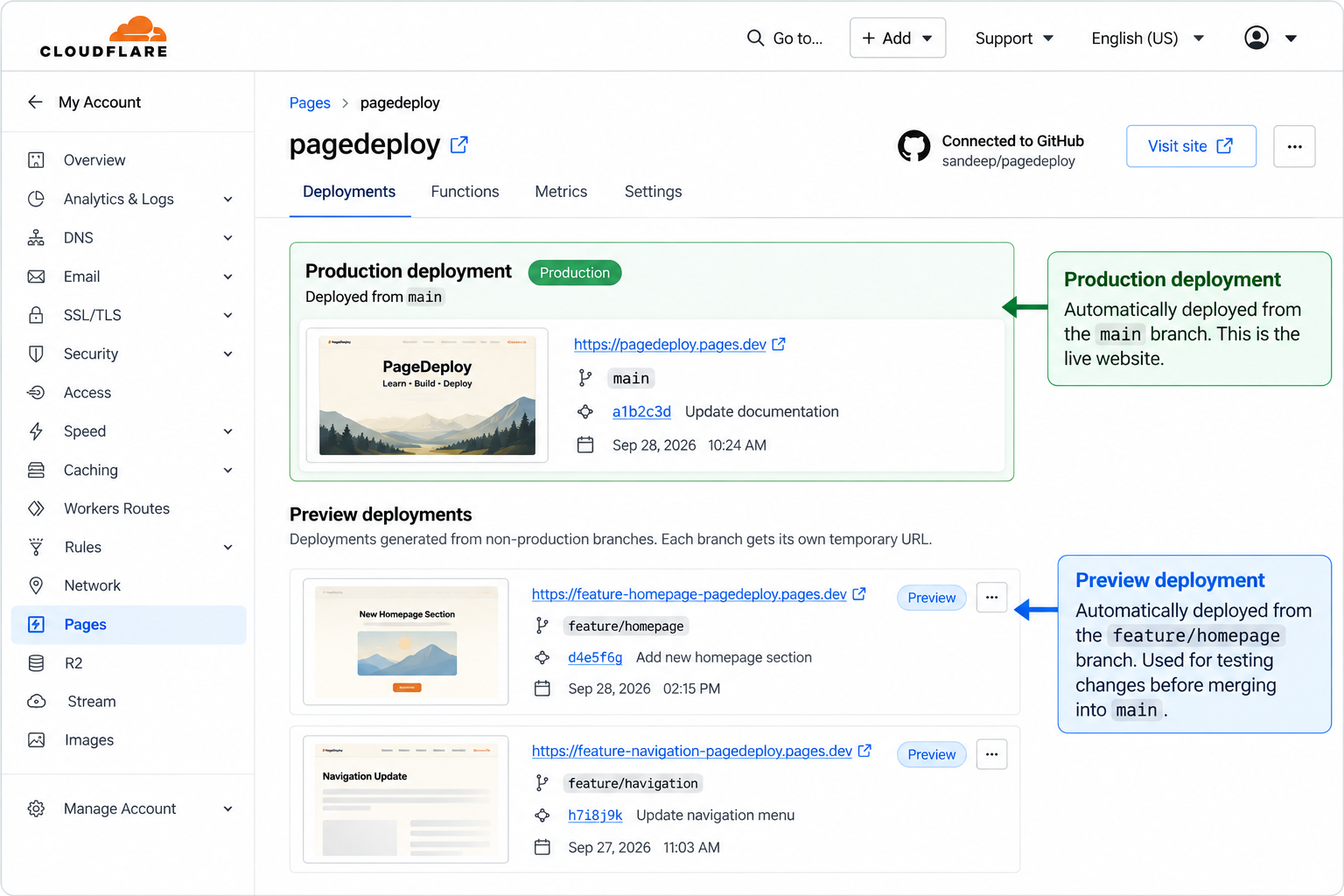
Feature branch → preview
Once a feature branch is pushed to GitHub, Cloudflare Pages can create a preview deployment for that branch.
git switch feature/homepage
git add .
git commit -m "Update homepage"
git push
The push sends the latest version of the feature branch to GitHub. Cloudflare can then use that branch to create a preview deployment.
The important point is that the feature branch is still separate from main. The preview gives you a place to test the feature before it becomes part of the production branch.
A preview deployment does not mean the changes have been released to the production website.
Find the preview URL
After Cloudflare finishes the preview deployment, the deployment details provide a URL that can be opened in a browser.
Use that URL to inspect the version of the website generated from your feature branch.
The preview URL gives you a way to test the deployed version rather than relying only on your local development environment.
Keep the preview URL available while testing the feature. It represents the version associated with that deployment.
Test the preview
Open the preview URL and test the feature as if you were using the website normally.
Test the changes you made as well as the surrounding parts of the website. A feature can appear correct by itself while still affecting navigation, layout, or existing functionality.
Check areas such as:
| Area | What to check |
|---|---|
| Layout | Desktop and mobile appearance. |
| Navigation | Links and page transitions. |
| Content | Text, images, and information. |
| Functionality | Buttons, forms, and interactions. |
Fix → commit → push
If you find a problem during testing, return to your local project and make the required correction.
Then commit and push the change again.
git status
git add .
git commit -m "Fix homepage layout"
git push
The new commit updates the feature branch, and Cloudflare can create a new preview deployment from the updated branch.
This creates a repeatable development cycle: make a change, push it, test the preview, fix any problems, and push again until the feature is ready for review.
Preview vs production
Preview and production serve different purposes and should not be treated as the same environment.
| Preview | Production |
|---|---|
| Used for testing. | Used by visitors. |
| Usually based on a feature branch. | Based on main. |
| Changes can still be revised. | Represents the released version. |
| Not the production release. | The live website. |
The normal workflow is to test the feature in preview first, review the changes, and only then merge the feature branch into main.